10 Best childcare website design for tour bookings
A childcare website that builds parent trust and drives enrollment inquiries does one thing consistently: it moves a parent from curiosity to a scheduled tour without friction.
Here is what actually separates a high-performing childcare website from one that just looks the part:
Mobile contact speed matters most: parents searching for childcare act fast, and a click-to-call button or sticky tour booking link captures them before they move on.
Credibility signals placed near your inquiry form, including licensing links, real staff photos, and safety credentials, directly reduce the hesitation that stops parents from submitting.
Inquiry capture only works if your team can respond within minutes; automation readiness built into your form setup is what makes that possible at scale.
DIY builders like Wix or Squarespace get you online quickly, but they do not come with enrollment funnel logic, automated follow-up, or tour conversion tracking built in.
The metric that matters is not how many inquiries your site generates; it is how many of those inquiries become scheduled tours and then enrolled families.
At BRIT Childcare, we work exclusively with childcare centers, preschools, and Montessori schools across the United States, and the pattern we see repeatedly is this: owners invest in a redesign, get a site that looks polished, and still watch inquiries go cold. That is why our Enrollment Engine is built around tour conversion rate and automated lead response, not just lead volume. We have seen clients reach 95% or higher tour conversion rates once the right systems sit behind the website.
The first option in this list is the one we want you to look at most closely.
The BRIT Childcare Enrollment Engine website and conversion review is not a design showcase. It is a breakdown of what an enrollment-focused website actually needs to do, and why the distinction between a pretty site and a converting site is the difference between empty seats and a waitlist.
1. BRIT Childcare Enrollment Engine website and conversion review
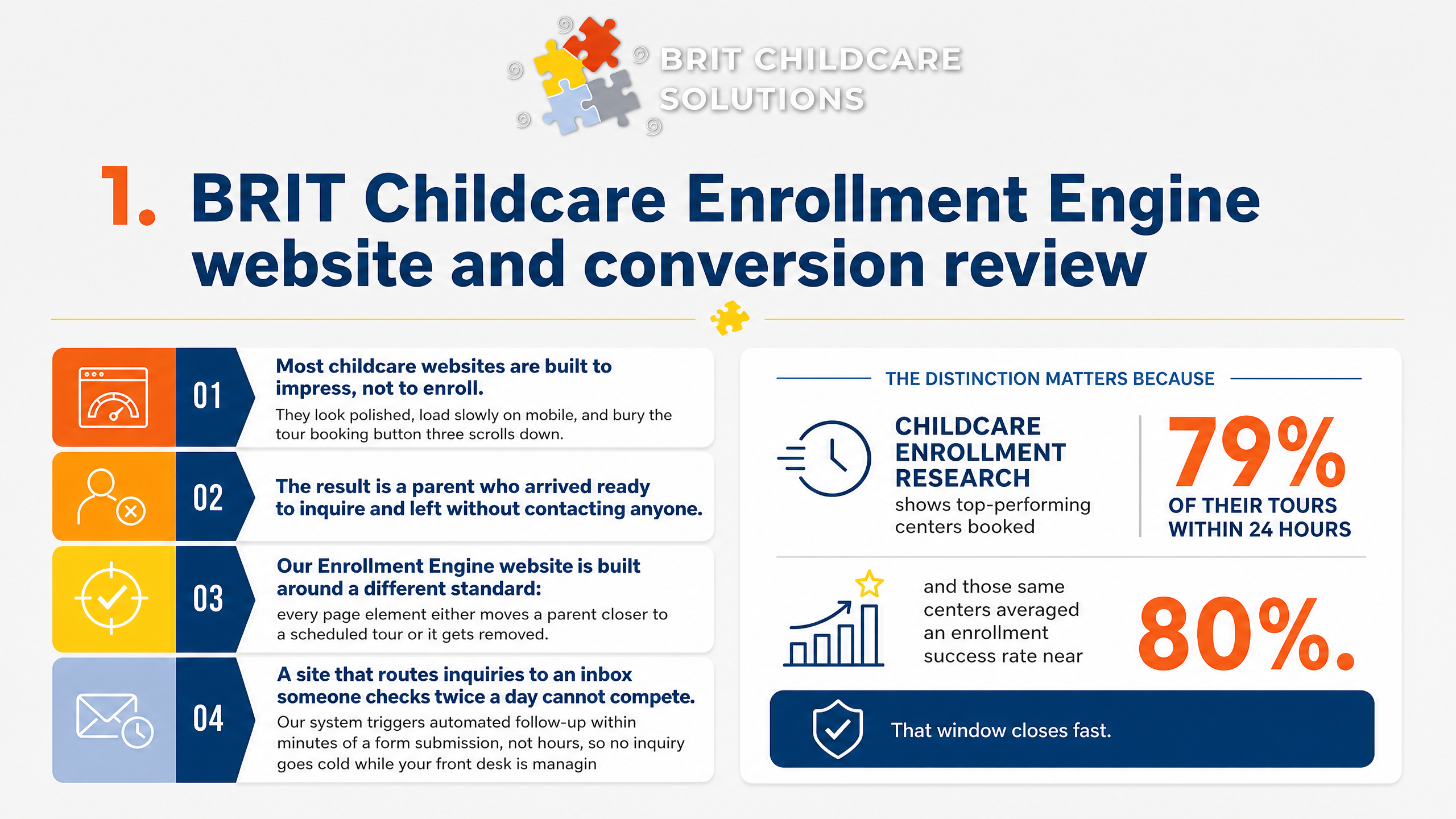
Most childcare websites are built to impress, not to enroll. They look polished, load slowly on mobile, and bury the tour booking button three scrolls down. The result is a parent who arrived ready to inquire and left without contacting anyone.
Our Enrollment Engine website is built around a different standard: every page element either moves a parent closer to a scheduled tour or it gets removed.
The distinction matters because childcare enrollment research shows top-performing centers booked 79% of their tours within 24 hours, and those same centers averaged an enrollment success rate near 80%. That window closes fast. A site that routes inquiries to an inbox someone checks twice a day cannot compete.
Our system triggers automated follow-up within minutes of a form submission, not hours, so no inquiry goes cold while your front desk is managing drop-off.
Tour booking is built into the site itself, not linked to an external calendar parents have to hunt for. Families select a time, receive automated confirmation and reminders, and your team sees the tour on their schedule without manual entry. For operators running two or more locations, inquiry routing directs each parent to the correct center automatically, keeping conversion rates consistent across your whole portfolio rather than dependent on which staff member happened to answer.
2. WebFX
WebFX is a large, full-service digital marketing agency with strong production capacity, dedicated specialists, and proprietary platforms like MarketingCloudFX for ROI tracking and attribution. For childcare owners who need web design, SEO, paid media, and content marketing handled under one roof, that breadth is genuinely appealing.
The production quality is real. WebFX brings structured processes, experienced teams, and performance dashboards that mid-market businesses rely on. If you need a well-built site delivered on schedule with documented workflows, they can execute.
The gap shows up in childcare-specific conversion mechanics. A generalist agency builds a professional website, but may not know to place licensing links directly beside the inquiry form, structure the tour booking button for one-tap mobile access, or design credibility blocks that answer the safety questions parents ask before they ever submit a lead. These details are not cosmetic choices.
They are the difference between a site that looks good and one that consistently converts parent inquiries into scheduled tours.
3. Smartcare Designs
Smartcare Designs positions itself as a childcare-focused web design shop, which immediately sets it apart from generalist agencies. Their work emphasizes parent-friendly layouts, warm color palettes, and visual trust cues like staff photos, licensing badges, and safety highlights placed near the top of the page. For owners who want a site that feels purpose-built for early childhood education, that specialization matters.
Where you need to ask harder questions is around what happens after a parent lands on the page. A well-designed site that lacks a functional inquiry form, a clear tour booking path, or any follow-up workflow is still a brochure. Before signing with any design shop, ask specifically: Does the form connect to a CRM or automation sequence?
How fast does a new inquiry get a response? Who handles follow-up if your front desk misses it?
Design deliverables and enrollment outcomes are not the same thing. A beautiful site can still produce stale inquiries if no system exists to respond within minutes and move parents toward a scheduled tour.
4. Wix
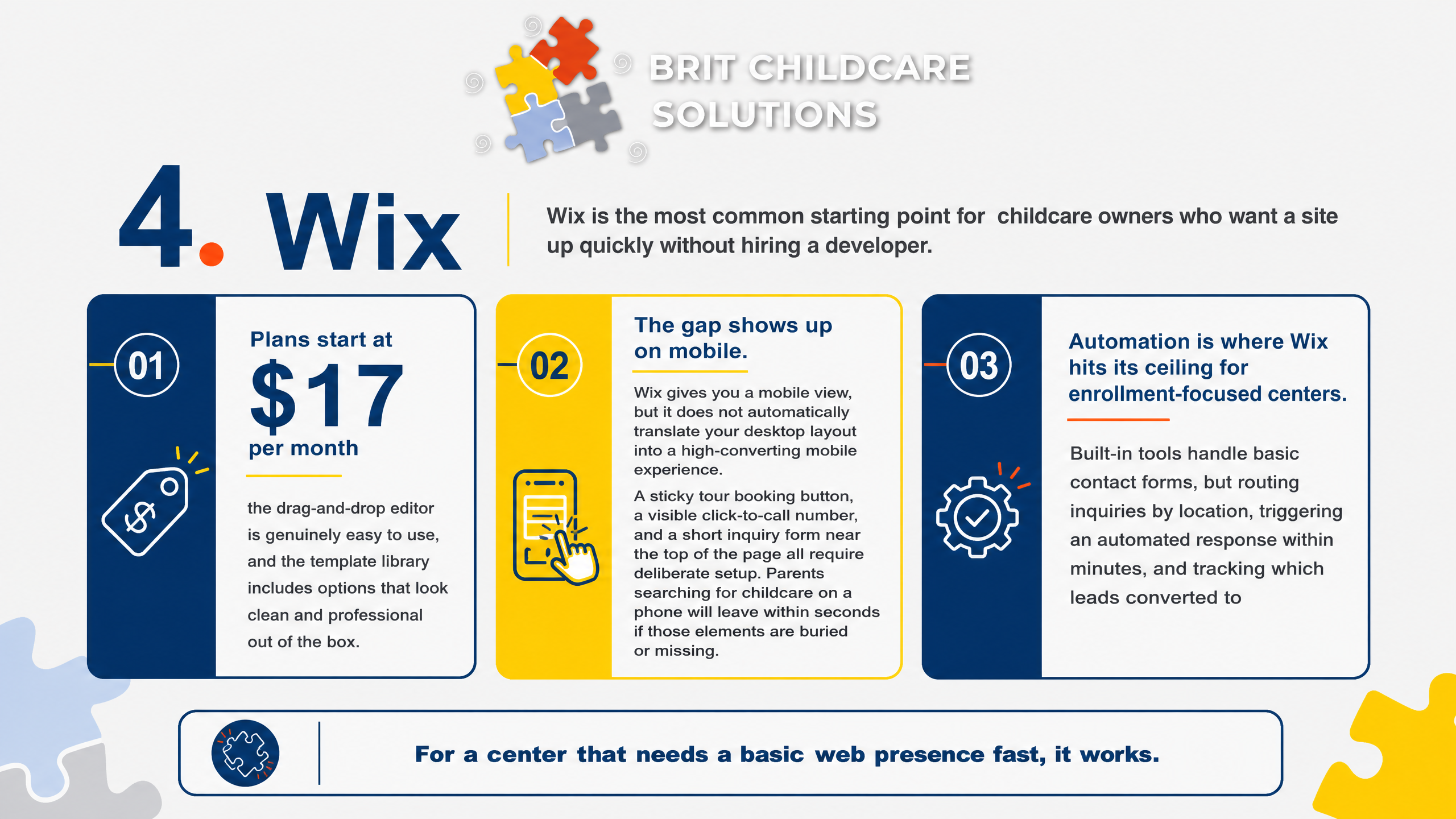
Wix is the most common starting point for childcare owners who want a site up quickly without hiring a developer. Plans start at $17 per month, the drag-and-drop editor is genuinely easy to use, and the template library includes options that look clean and professional out of the box. For a center that needs a basic web presence fast, it works.
The gap shows up on mobile. Wix gives you a mobile view, but it does not automatically translate your desktop layout into a high-converting mobile experience. A sticky tour booking button, a visible click-to-call number, and a short inquiry form near the top of the page all require deliberate setup.
Parents searching for childcare on a phone will leave within seconds if those elements are buried or missing.
Automation is where Wix hits its ceiling for enrollment-focused centers. Built-in tools handle basic contact forms, but routing inquiries by location, triggering an automated response within minutes, and tracking which leads converted to tours all require third-party integrations. Without those connections, your front desk is manually following up, and response delays cost you tours.
Web design conversion data shows mobile-friendly sites see 40% higher conversion rates, which means the setup work is worth doing right.
5. Squarespace
Squarespace earns its reputation for polished, high-end templates that require no design background to use well. The editing experience is clean and intuitive, making it a strong choice for childcare owners who want a site that looks professionally built without hiring a developer.
Where Squarespace truly shines is brochure-style storytelling. If your goal is to showcase your philosophy, your classrooms, and your staff in a visually compelling way, the platform delivers. Parents browsing for the first time will get a strong first impression.
The challenge is the enrollment workflow. Squarespace forms are functional but not built for fast inquiry routing or automated follow-up. Scheduling tools require third-party integrations like Acuity, which Squarespace owns, but configuration takes real effort to connect correctly.
Without that setup, a parent who fills out a contact form may wait hours for a response, and childcare enrollment research shows that top-performing centers book tours within 24 hours of an inquiry. A beautiful site that creates friction at the form level still loses families to faster competitors.
6. WordPress with Elementor
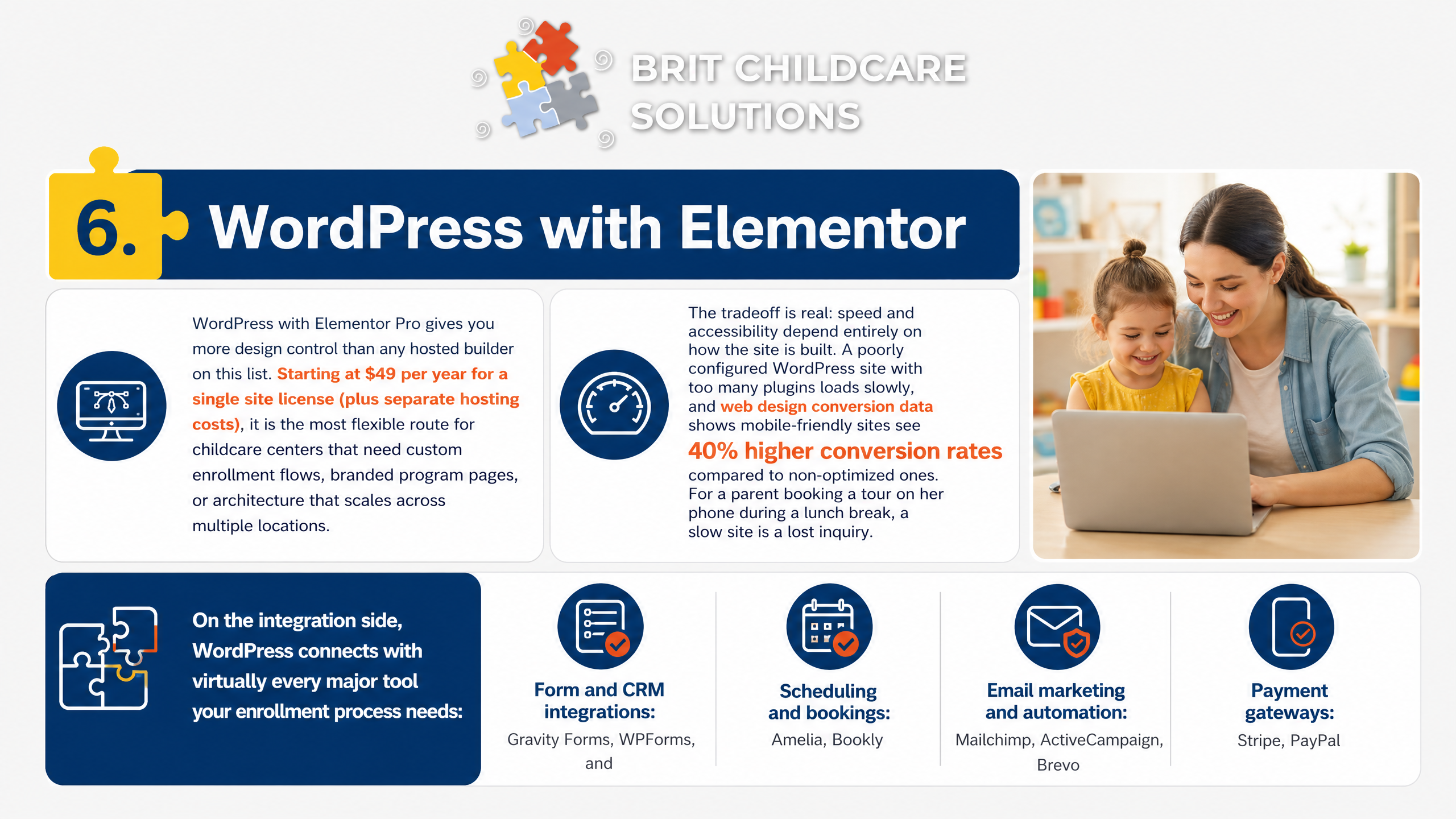
WordPress with Elementor Pro gives you more design control than any hosted builder on this list. Starting at $49 per year for a single site license (plus separate hosting costs), it is the most flexible route for childcare centers that need custom enrollment flows, branded program pages, or architecture that scales across multiple locations.
The tradeoff is real: speed and accessibility depend entirely on how the site is built. A poorly configured WordPress site with too many plugins loads slowly, and web design conversion data shows mobile-friendly sites see 40% higher conversion rates compared to non-optimized ones. For a parent booking a tour on her phone during a lunch break, a slow site is a lost inquiry.
On the integration side, WordPress connects with virtually every major tool your enrollment process needs:
Form and CRM integrations: Gravity Forms, WPForms, and HubSpot's free plugin all connect inquiry capture to automated follow-up sequences.
Tour scheduling: Calendly and Acuity embed directly into Elementor pages, letting parents book without calling the front desk.
Childcare management software: Most platforms connect via Zapier if a native integration does not exist.
The risk with WordPress is plugin sprawl. Every added plugin is a maintenance obligation and a potential security vulnerability, which matters when your site handles sensitive family information. If your team does not have someone managing updates and performance regularly, the flexibility advantage erodes quickly.
This platform rewards owners who invest in a skilled developer upfront or partner with a specialist who maintains it ongoing.
7. Webflow
Webflow delivers some of the strongest performance and responsive control available in a website platform today. Pages load fast, animations run clean, and you get pixel-level control over how the site behaves across every screen size. For a childcare center competing locally, that speed matters because web design conversion data shows mobile-friendly sites see 40% higher conversion rates compared to non-optimized sites.
The trade-off is real: Webflow is not a platform most center directors can update themselves. Changing a tour booking form, adding a new classroom page, or updating tuition details typically requires a skilled developer. If your team cannot make quick edits, stale content and broken inquiry flows become a genuine risk.
Webflow works best when you enter the build with a clear conversion spec already defined. That means knowing exactly where the tour booking button lives on mobile, what trust signals sit next to your inquiry form, and how a parent moves from the homepage to a scheduled visit. Without that spec, even a beautifully built Webflow site can miss the enrollment outcomes that actually matter.
8. Shopify
Shopify is built for ecommerce, and that strength is exactly why some childcare owners consider it. If your center collects enrollment deposits online, sells branded merchandise, or offers paid add-ons like summer camp registrations, Shopify handles payment processing cleanly and reliably. Its checkout flow is polished, and parents already trust it.
You can also build service pages on Shopify and embed third-party scheduling tools for tour booking. So technically, it can function as a childcare website. The question is whether the complexity is worth it.
For most childcare centers focused on driving tour bookings, Shopify adds layers that slow you down rather than help. You are managing product catalogs, inventory settings, and ecommerce logic for a business that does not sell products. That overhead pulls attention away from what actually moves enrollment: fast inquiry response, clear program information, and a frictionless path to a scheduled tour.
If deposits and paid registrations are a real operational need, Shopify earns its place. If your primary goal is converting parent inquiries into booked tours, a simpler platform will serve that funnel better.
9. HubSpot CMS
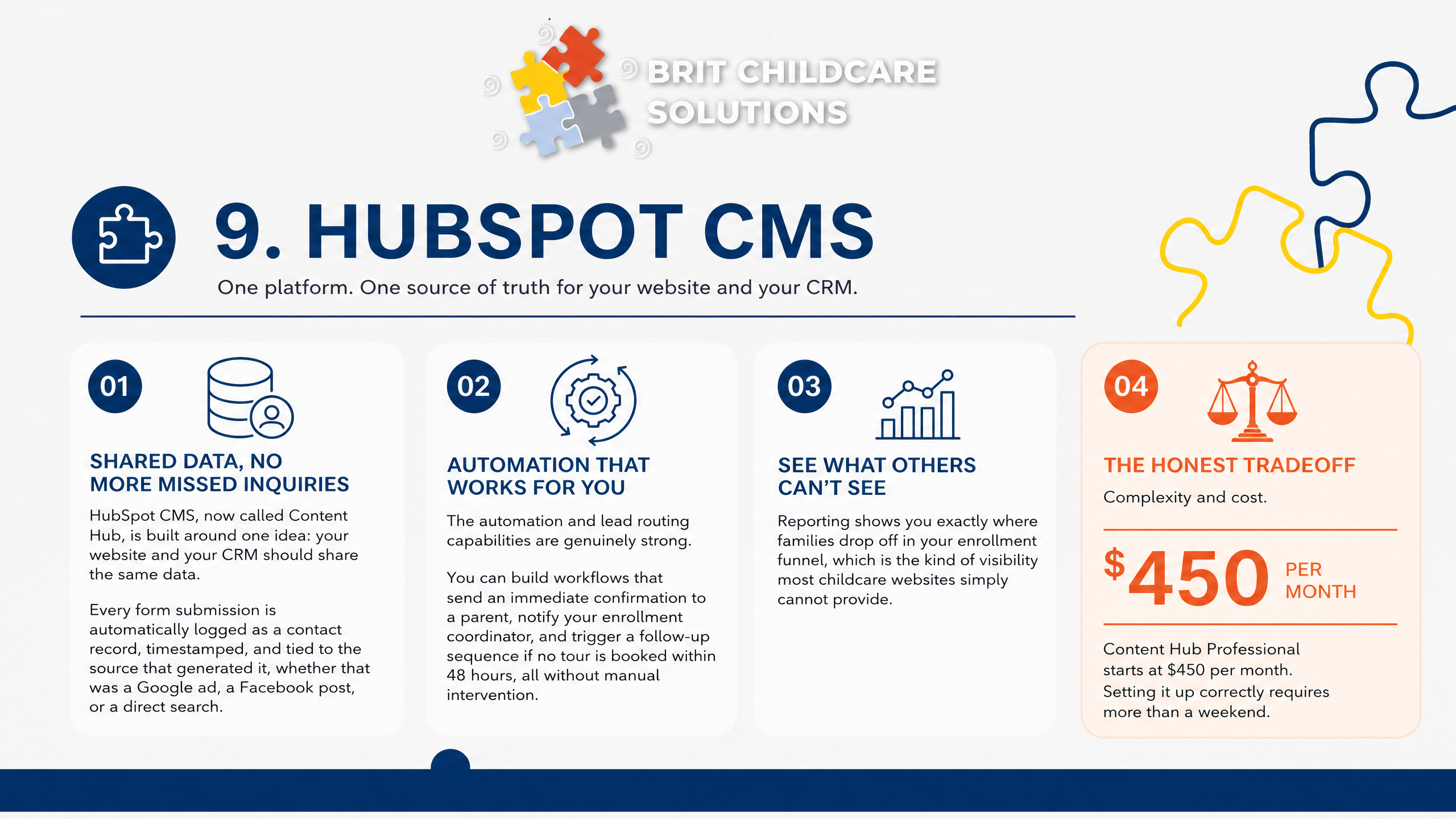
HubSpot CMS, now called Content Hub, is built around one idea: your website and your CRM should share the same data. For childcare centers worried about inquiries falling through the cracks, that architecture matters. Every form submission is automatically logged as a contact record, timestamped, and tied to the source that generated it, whether that was a Google ad, a Facebook post, or a direct search.
The automation and lead routing capabilities are genuinely strong. You can build workflows that send an immediate confirmation to a parent, notify your enrollment coordinator, and trigger a follow-up sequence if no tour is booked within 48 hours, all without manual intervention. Reporting shows you exactly where families drop off in your enrollment funnel, which is the kind of visibility most childcare websites simply cannot provide.
The honest tradeoff is complexity and cost. Content Hub Professional starts at $450 per month, and setting it up correctly requires more than a weekend. If you want the CRM and website working together from day one, you will likely need a HubSpot-certified developer or agency.
For multi-location centers that are serious about tracking tour conversion rates and automating follow-up at scale, that investment can pay off. For smaller single-location centers, simpler platforms may serve you better.
10. 10Web AI Website Builder
10Web AI Website Builder starts at $10 per month and uses AI to generate a WordPress site from a short prompt, pulling in Elementor-based layouts and placeholder content within minutes. For a childcare owner who needs a working draft fast, that speed is genuinely useful.
The catch is that AI drafts are starting points, not finished enrollment systems. The generated pages typically place CTAs wherever the template defaults suggest, not where a parent's trust is highest. You will need to manually reposition your tour booking button above the fold, add licensing links next to your inquiry form, and replace stock images with real photos of your staff and classrooms.
Before going live, run a focused QA pass covering three areas: accessibility (color contrast, alt text, screen reader compatibility per ADA accessibility requirements for childcare technology), page speed on mobile, and form routing to confirm inquiries reach the right person immediately. A fast, compliant page that routes leads correctly is what turns a draft into an enrollment tool.
How to choose the best childcare website design for tour bookings
Most childcare website redesigns fail because they optimize for appearance instead of action. Use this checklist to evaluate any design against the one outcome that matters: a parent booking a tour today.
Mobile-first contact in 10 seconds
A parent searching for childcare on their phone should be able to call, book a tour, or get directions without scrolling. If any of those three actions require more than two taps, you are losing families before they ever reach your form.
Click-to-call phone number visible above the fold on mobile, not buried in the footer
Sticky 'Book a Tour' button that follows the user as they scroll
One-tap link to Google Maps directions from the homepage
Web design conversion data shows mobile-friendly websites see 40% higher conversion rates, which makes this the highest-return fix on this list.
Readability and accessibility checks
Parents form an opinion about your center in under a second. A hero headline they cannot read because it sits over a busy classroom photo immediately signals low quality, regardless of how good your program actually is.
Hero headline uses high-contrast text on a solid or darkened background, not layered over a photo
No body copy placed directly over images anywhere on the page
Tap targets (buttons, links) are at least 44px tall and font sizes stay at 16px or larger on mobile
ADA accessibility requirements apply to childcare provider websites, so these fixes protect you legally as well as visually.
Trust blocks next to the form
Parents are making a safety decision, not a purchase decision. Placing trust signals directly beside your inquiry form, not on a separate About page, is what converts a hesitant visitor into a scheduled tour.
State licensing number with a direct link to your license verification page
Safety policies, background check statement, and any accreditations listed near the form
Real staff photos with brief bios, not stock images
Inquiry capture you can answer fast
A long form is a conversion killer. Ask only for name, child's age, preferred start date, and contact method. Everything else can be gathered on the tour.
Childcare enrollment research shows top-performing centers booked 79% of their tours within 24 hours and achieved nearly 80% enrollment success. Speed of response is not a nice-to-have.
Two-step form that collects contact info first, details second
Inquiry routing by location so multi-location operators send leads to the right director immediately
Automated reply within minutes confirming receipt and offering tour times
Our Enrollment Engine handles all three of these automatically, so no inquiry sits unanswered because a director was in the classroom.
What to ask and what to measure
Do not measure your website by traffic or even total inquiries. Measure it by what those inquiries actually produce.
Inquiry-to-tour conversion rate: what percentage of form submissions become scheduled tours?
Tour show-up rate: how many scheduled families actually arrive?
Cost per enrolled seat: total marketing spend divided by new enrollments, not clicks or leads
If you cannot answer all three of these today, that is the first problem your next design decision should solve.
Your Website Is the First Step.
Your Enrollment System Is What Fills Seats.
A well-designed childcare website gets a parent to the form. What happens in the next few minutes determines whether that inquiry becomes a tour, and whether that tour becomes an enrolled family. Most redesigns stop at the design.
We don't.
Our Enrollment Engine ties your website directly to automated follow-up, tour booking, and conversion tracking so no inquiry goes cold and no family falls through the cracks. We work exclusively with childcare centers, preschools, and Montessori schools, which means every system we build is calibrated to how childcare families actually make decisions.
If your site is generating interest but not filling seats, the fix is rarely more traffic. It's a faster response, a cleaner tour path, and visibility into where families are dropping off.
Book your BRIT Childcare Enrollment Engine website and conversion review, then schedule a strategy call with our team. We'll map your current inquiry flow, identify the gaps between contact and tour, and show you exactly where automation and conversion tracking can move the needle. Visit britchildcare.com/work-with-us to get started.
